Home / cloud-based storage & Security / Activation Lock Recovery
Understand and Legally Remove iCloud Activation Lock
Navigating an Activation Lock can be incredibly frustrating. Whether you bought a used device, forgot your credentials, or are managing corporate hardware, this guide breaks down the official owner-recovery paths—and why protecting your cloud files is the crucial next step.
Quick Answer
Activation Lock is an Apple security function tied to Find My, designed to prevent unauthorized use of a lost or stolen device. Use an official owner-authorized path: use the Apple Account credentials linked to the device, have the previous owner remove it from their account, use an on-screen device-passcode option when Apple offers it, follow an organization’s documented device-management process, or ask Apple for help with valid proof of purchase. Avoid third-party bypass claims.
Editorial Team · Published: July 2026 · 14 min read
Legal & Ethical Boundary Note
This guide solely covers legitimate, owner-authorized account recovery and official reset paths. We do not provide bypass instructions, exploit software, or tools for unauthorized access. Ensure you are the legal owner of the device or account before proceeding.
When You Need This Guide
Select your situation to find the right recovery path:
Forgot Apple ID
I own the device but forgot my iCloud password.
Used Device
I bought a used iPhone and it's locked to an old owner.
Corporate IT
An ex-employee returned a locked iPad/iPhone.
Activation Lock Legal Removal Paths
If you are encountering the "Activation Lock could not be removed" screen, you must use one of the following official Apple recovery paths. Do not waste time on "activation lock bypass code free" searches—there is no secret master code.
Method 1: Device Passcode Recovery
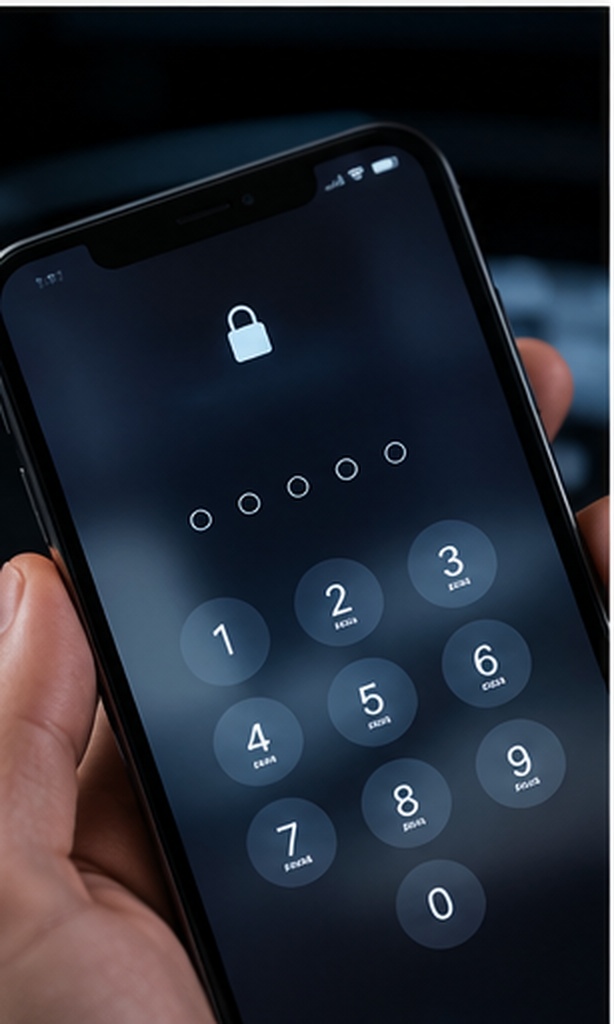
If the Activation Lock screen offers an Unlock with Passcode option, an authorized owner may be able to use the device passcode previously configured on that device. Availability depends on the device and its state; follow the choices Apple displays.
Tap Unlock with Passcode on the Activation Lock screen.
Tap Use Device Passcode.
Enter the numerical passcode previously used to unlock the phone.
Settings > General > Transfer or Reset iPhone > Erase All Content and Settings
Method 2: Remote Removal via iCloud.com
If you purchased a used device (e.g., iPhone 11 or iPhone 12) and it is locked, the previous owner must remove it. They do not need to be physically present.
Ask the seller to log into iCloud.com/find.
Click All Devices and select the iPhone/iPad/Apple Watch.
Click Remove from Account (do not just click Erase).
Method 3: Apple Support Proof of Purchase
If you own the device and have qualifying proof-of-purchase documentation, Apple lets you start an Activation Lock support request. Apple decides whether the documentation and device qualify. Organization-owned devices may also have a supported device-management removal path if it was configured beforehand.
Use Apple’s official Activation Lock removal guidance and review the consequences shown during the request. Back up accessible data first; do not assume Apple can preserve or recover device data.
What About Bypass Tools?
Queries like "3uTools activation lock removal" or "how to bypass activation lock apple watch" are frequent. Do not use these tools. Apple does not endorse third-party bypass services. Such offers may be scams, may request unsafe payments or credentials, and do not establish legitimate ownership or a durable supported unlock. Use Apple, the previous owner, or the organization’s device administrator.
Encryption vs Permissions — Understanding the Gap
Activation Lock secures the physical hardware. But what happens to the files synced to your iCloud Drive, Google Drive, or OneDrive?
Many users assume that since their iPhone is locked, their cloud files are safe. This is a critical misunderstanding of cloud sync behavior.
Syncing is not encrypting: If your cloud account is compromised via phishing or an insecure secondary device, the attacker has access to everything.
Protection varies by service and setting: Under standard iCloud protection, Apple stores keys for many categories so it can support recovery. With Advanced Data Protection, most iCloud categories—including iCloud Drive—use end-to-end encryption, subject to Apple’s documented sharing and metadata exceptions.
For some threat models, encrypting selected files before upload can add separation from the cloud account and provider. It also shifts key recovery and compatibility responsibility to you. This is known as client-side encryption.
Evaluating an Additional File-Protection Tool
Activation Lock and cloud-file protection solve different problems. A client-side encryption or access-control product can help in selected workflows, but verify its supported platforms, encryption scope, update history, recovery process, export options, and behavior inside sync folders. Folder Protect is one commercial option to evaluate.
Client-side encryption can reduce exposure from some cloud-account and provider risks when keys remain separate. It cannot guarantee safety against compromised endpoints, weak passwords, unlocked sessions, unsafe sharing, vulnerable software, or lost recovery material.
1
Local Encryption Before Uploading
Some products create protected folders or containers that can be placed in a synchronization path. Confirm in current vendor documentation whether protection is encryption or access control, when plaintext exists, and whether concurrent sync, restore, and conflict handling are supported.
2
Cross-Device Accessibility
Cross-device access depends on the exact product edition, file format, and supported operating systems. Test opening, updating, backing up, exporting, and recovering noncritical data on every intended device before relying on it.
3
Comprehensive Privacy Tools
Extra features such as deletion, history cleaning, and portable containers need separate review. File overwriting may not sanitize SSDs, flash storage, snapshots, or cloud versions, and self-extracting executables may be blocked or incompatible on recipient systems.
File Sharing Risk Calculator
Not sure if you need independent encryption? Check your current sharing risk level.
Use only the official options Apple presents: the linked Apple Account credentials, a displayed device-passcode option, removal by the previous owner, an eligible organizational device-management path, or an Apple support request with qualifying proof of purchase. Do not rely on third-party bypass claims.
What happens to activation lock after a factory reset?
If Find My was enabled before the reset, the Activation Lock will trigger immediately when the phone restarts, requiring the original Apple ID to proceed.
Cloud Security
Can I password protect a folder in iCloud?
iCloud Drive does not provide a general separate password for an arbitrary folder. Depending on your threat model, use account controls and consider Advanced Data Protection; for a separately encrypted file or container, choose a maintained tool and test compatibility and recovery.
Is data stored in the cloud truly encrypted?
Cloud protection differs by service, data category, account setting, and sharing method. Apple says standard iCloud protection stores keys for many categories in its data centers, while Advanced Data Protection extends end-to-end encryption to most categories, including iCloud Drive, with documented exceptions. Review the provider’s current security table for the specific data.
Ways to bypass a Folder Protect password?
Recovery depends on the product, configuration, stored keys, and any recovery feature. Do not attempt to bypass another person’s protection. For your own data, consult the vendor’s official recovery instructions and restore from a verified backup if no supported recovery path exists.
Our Verdict
Dealing with Apple's Activation Lock requires navigating strict, legal recovery paths. Never trust external bypass tools for hardware locks. For cloud data, choose controls that fit your threat model. Strong account security, careful sharing, current devices, recovery planning, and the provider’s end-to-end encryption options may be appropriate; selected files may also justify tested client-side encryption.
No approach is foolproof. Local encryption can add protection, but endpoints, passwords, recovery keys, collaborators, readable copies, and backups still need controls.